
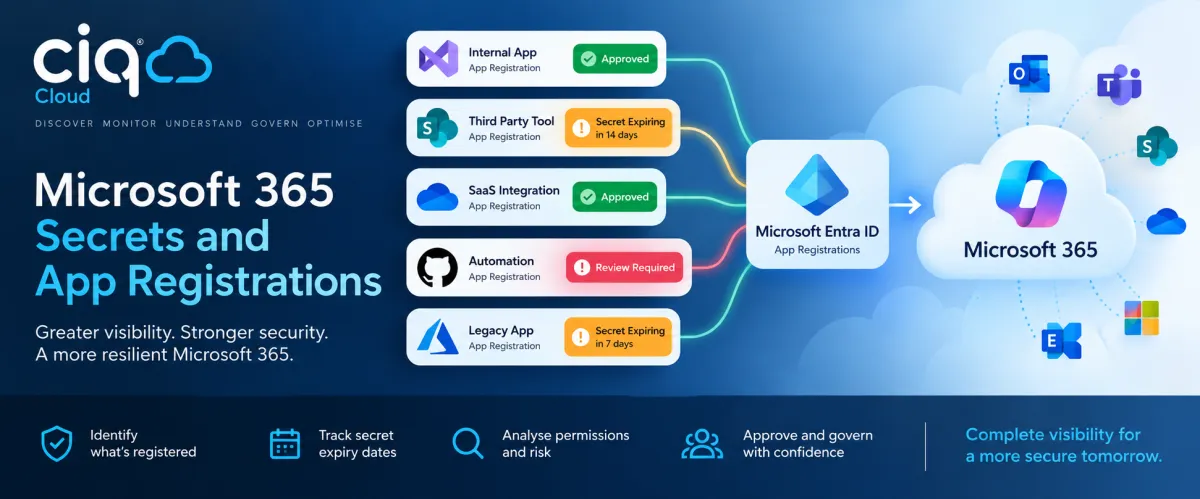
Microsoft 365 App Registrations & Secret Expiry Monitoring
Microsoft 365 Secrets and App Registrations: The Identity Risk Hiding in Plain Sight
Microsoft 365 App Registrations & Secret Expiry Monitoring
Microsoft 365 security is often viewed through the accounts people use every day: employees, administrators, guests and privileged users.
But people aren't the only identities accessing your Microsoft environment.
Applications, integrations, automation tools and third-party services can also be granted access to Microsoft 365 through Microsoft Entra ID. In many organisations, these app registrations and their associated credentials quietly accumulate over time.
An application may have been created for a project two years ago. A client secret might expire next month. An integration could still have powerful permissions even though nobody remembers why it was approved.
Individually, these can look like small administrative details.
Collectively, they form an important part of your Microsoft 365 security posture.
That is why CIQ® Cloud treats app registrations and credential expiry as an ongoing operational visibility problem rather than something that should only be discovered during an audit or when an integration suddenly stops working.
What is an Entra app registration?
When an application needs to interact with Microsoft services, it can be registered within Microsoft Entra ID.
The registration establishes an identity for the application and can allow it to request access to Microsoft APIs and organisational data.
Depending upon how the application is configured, this might include access to services such as Exchange Online, SharePoint, OneDrive, Teams, Intune or Microsoft Graph.
This is entirely normal. Modern cloud environments depend heavily upon integrations and automation.
The security question isn't:
"Should we have app registrations?"
It is:
"Do we know what applications have been registered, why they exist, what access they have, who approved them and whether they should still be there?"
That becomes increasingly difficult as an environment grows.
The forgotten application problem
Consider a relatively common scenario.
A department introduces a reporting application and someone creates an Entra app registration to provide it with the Microsoft Graph permissions it requires.
The project is successful.
Six months later the employee who implemented it changes role. A year later the reporting platform is replaced. The original app registration remains.
Nothing necessarily generates an incident.
Nothing necessarily appears broken.
The application simply becomes another object sitting inside Entra ID.
Now multiply that process across IT projects, MSP activities, internal development, PowerShell automation, security products, SaaS integrations and departmental applications.
The result can be an application estate that nobody has a complete operational understanding of.
This is effectively application identity sprawl.
Secrets introduce another problem: expiry
Applications need a mechanism to authenticate. One common approach is a client secret associated with an app registration.
Secrets normally have expiration dates, which is good security practice. A credential that remains valid indefinitely represents a greater long-term risk.
However, expiration introduces an operational challenge. If nobody is actively tracking the expiry date, an important integration can suddenly stop authenticating.
The first indication that there was a problem may be a failed process, missing data or a support ticket.
Imagine discovering on Monday morning that an important business integration stopped working because its secret expired over the weekend.
The expiry date was available all along.
The problem wasn't a lack of data.
It was a lack of visibility and action around the data.
CIQ® Cloud Secret Expiry Monitoring
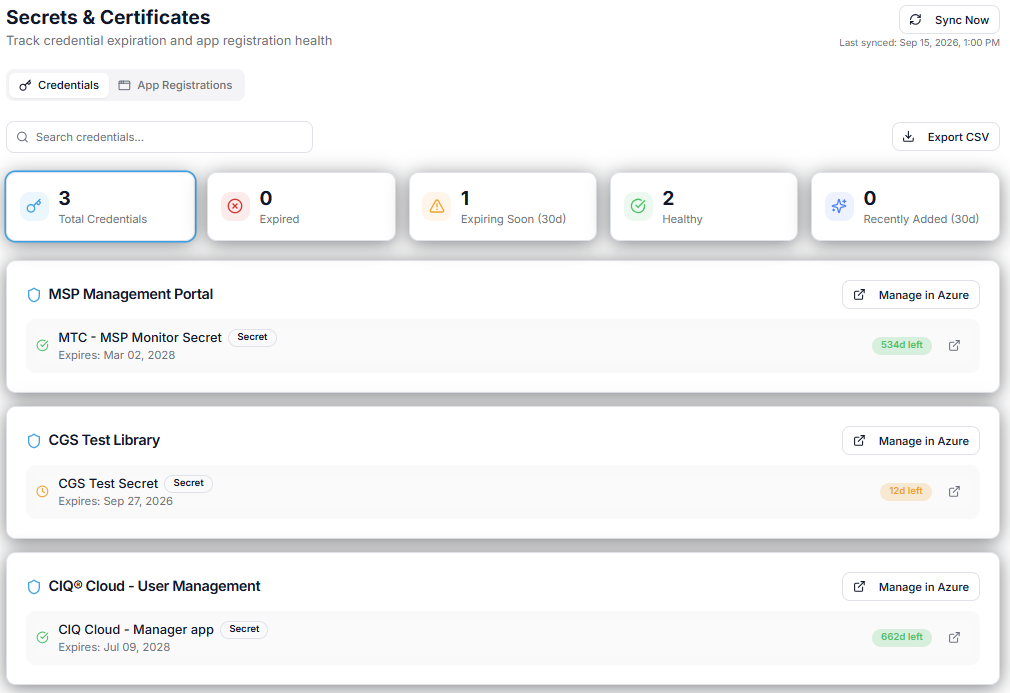
CIQ® Cloud provides visibility into application credentials and their expiry dates so that organisations can identify upcoming expirations before they become service-impacting events.
Instead of relying on someone periodically opening the Entra administration portal and manually checking registrations, credential expiry becomes something that can be continuously monitored.
This allows IT teams to distinguish between credentials that are healthy, credentials approaching expiry and situations requiring attention.
The objective is straightforward:
Turn an expiry date into an operational action before it becomes an outage.
This is particularly valuable for MSPs managing multiple Microsoft tenants. Manually remembering which customer has which application credentials expiring at which time simply does not scale.
Centralised visibility and alerting makes the issue manageable.
But expiry is only part of the story
Knowing that an application's secret expires in 30 days is useful.
Knowing whether the application should exist at all is considerably more important.
That is why app registration monitoring shouldn't stop with credential expiry.
CIQ® Cloud can help bring app registrations into a broader approval and analysis process.
The objective is to move the conversation from:
"Here are the applications registered in Entra."
to:
"We understand what these applications are, what they can access and whether that access is appropriate."
Discovering what has been registered
The first stage is visibility.
An organisation needs a clear picture of the applications registered within its Microsoft environment.
This establishes an application identity inventory that can then be analysed.
New registrations are particularly important.
If a new application appears, the important questions are not simply technical. IT may need to establish who created it, its business purpose, what permissions it requires and whether its introduction followed the organisation's normal approval process.
A new app registration therefore becomes something that can be reviewed, rather than simply another entry in Entra ID.
Understanding the permissions
Not all app registrations represent the same level of risk.
An application requesting limited read access is very different from one capable of reading organisational data or performing administrative actions.
The permissions associated with an application provide essential context.
Analysis therefore needs to consider questions such as:
What Microsoft Graph or API permissions have been requested?
Are they delegated permissions or application permissions?
Has administrative consent been granted?
Does the level of access appear appropriate for the application's stated purpose?
Could the application achieve its objective using less privilege?
This is where application monitoring becomes application governance.
The objective isn't to flag every application as dangerous. It is to help administrators concentrate their attention where it matters.
Adding an approval process
Visibility is considerably more valuable when it leads to a decision.
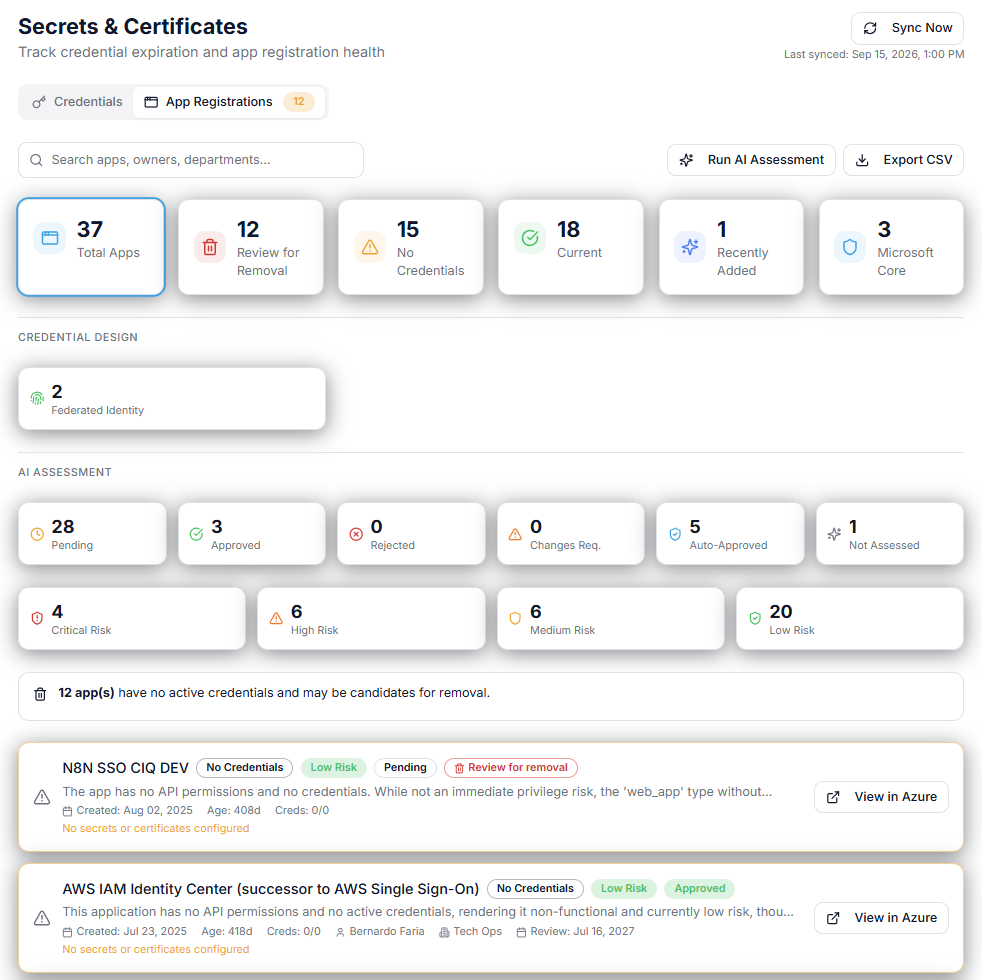
CIQ® Cloud's approach allows app registrations to be incorporated into an approval and analysis workflow.
An application can be reviewed and classified so that IT has a clearer understanding of whether it represents an expected and accepted component of the environment.
For example, an organisation may identify an established backup platform with known permissions and an identified business owner. Following review, that application can be approved.
Another registration may have appeared recently, have no obvious owner and possess broad Microsoft Graph permissions.
That deserves investigation.
The distinction between known and approved and present but unexplained is extremely important.
Without that context, a list of 200 app registrations is simply another inventory.
With it, the list becomes actionable security intelligence.
Approval shouldn't mean "ignore forever"
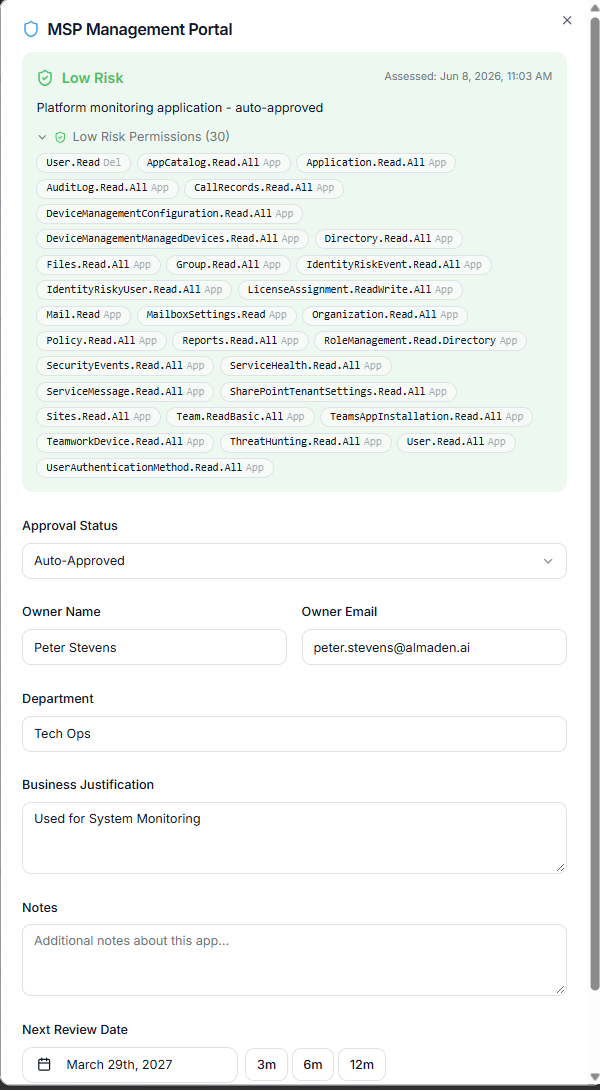
There is another important principle. Approval is a point-in-time decision.
An application that was appropriate two years ago isn't automatically appropriate today.
The business requirement may have disappeared. The supplier may have changed. Permissions may have been expanded. The application may no longer be actively used.
This is why application governance should be cyclical.
Approved applications should still be visible and periodically reviewed, particularly where they hold significant privileges.
Similarly, changes to an application may justify reassessment.
The aim is to maintain an environment where applications remain known, understood and justified.
A useful approach for MSPs
The challenge becomes even more pronounced for Managed Service Providers.
An MSP might have dozens or hundreds of Microsoft 365 customers, each with a completely different application estate.
Applications may have been installed by the MSP, the customer, a previous MSP, a software supplier or an internal development team.
This raises some important questions.
Does the customer still have app registrations associated with their previous MSP?
Are legacy management applications still authorised?
Are secrets approaching expiry across any customer tenants?
Have new applications appeared since the last service review?
Which applications have potentially sensitive permissions?
A centralised operational view allows these questions to become part of normal service management rather than a once-a-year audit exercise.
It can also provide valuable material for QBR and security review discussions.
Instead of simply reporting that "Microsoft 365 is healthy", the MSP can demonstrate that the customer's application identity estate is being actively monitored and governed.
Enterprise IT faces the same challenge
The same principles apply within Enterprise IT.
The difference is often organisational complexity rather than customer scale.
Different business units introduce applications. Developers create integrations. Automation projects require service identities. SaaS products request Microsoft access.
Security teams may establish policies, but maintaining an accurate picture of what has actually been deployed becomes difficult.
App registration visibility provides a bridge between cloud administration, security governance and operational management.
It helps answer a deceptively simple question:
Who, and what, has access to our Microsoft environment?
From inventory to operational visibility
Simply collecting app registrations is not enough.
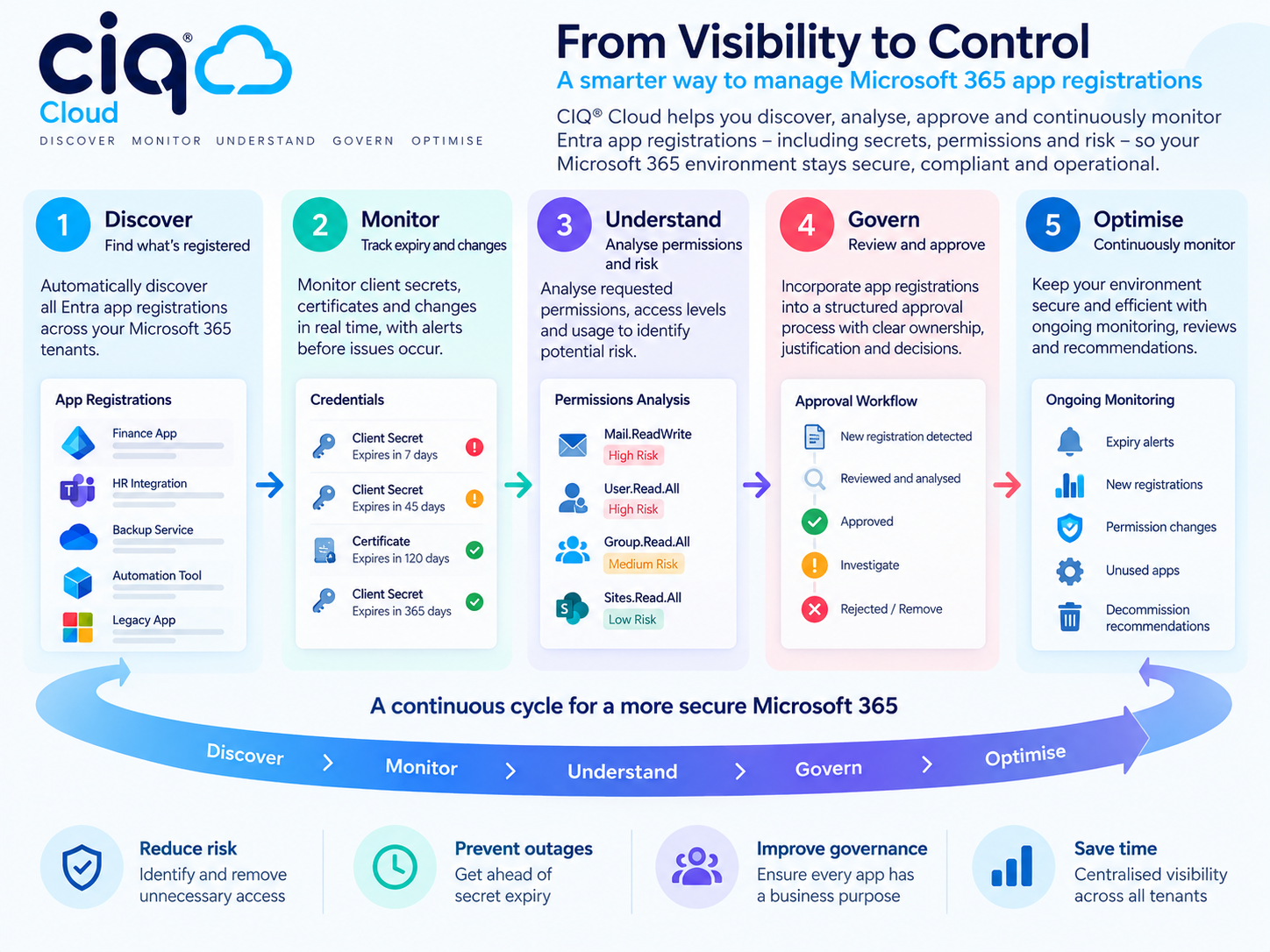
The real value comes from applying the wider CIQ® Cloud operational visibility lifecycle:
Discover → Monitor → Understand → Govern → Optimise

Discover the applications, credentials and permissions that exist within the environment.
Monitor for changes, new registrations and approaching credential expiry.
Understand what each application does, the permissions it possesses and the potential implications.
Govern applications through review, approval and appropriate security controls.
Optimise the environment by addressing unnecessary permissions, obsolete applications and avoidable credentials.
Then repeat the process.
Microsoft 365 is not a static environment, so application governance cannot be a static exercise.
Preventing an outage and reducing risk are two sides of the same problem
Secret monitoring and app registration governance may initially appear to solve different problems.
One is operational: don't let an important secret expire. The other is security-focused: don't allow unnecessary or inappropriate application access.
In practice, they are closely related.
Both require organisations to understand the machine identities operating within their Microsoft environment.
An application that nobody monitors can fail unexpectedly.
An application that nobody reviews can retain unnecessary access indefinitely.
CIQ® Cloud brings these signals into the same operational visibility model, helping IT teams identify what needs attention before it becomes either a security incident or an operational problem.
The bigger question: what has access to Microsoft 365?
Identity security can no longer focus exclusively on users.
As organisations connect more SaaS platforms, automation systems, AI services and management tools to Microsoft 365, non-human identities become an increasingly important part of the environment.
Every application registration represents a relationship between Microsoft 365 and something else.
Those relationships need to be visible.
Their credentials need to be monitored.
Their permissions need to be understood.
And their continued presence needs to be justified.
That is the difference between simply having an inventory of Entra applications and having operational visibility of your Microsoft 365 application identity estate.
Frequently Asked Questions